Updated: May 3, 2024
Like any self-respecting memeista, I often share
incredibly stupid profoundly intelligent snippets of Internet wisdom with my (real) friends.
These come in the form of images (often GIF) and videos (the memes, not the friends), and we distribute
them among ourselves using a variety of digital methods, including WhatsApp. For pretty much ever, I've
never really had any issue delighting my friends. But then.
A few days ago, I tried to send a short video to one of my buddies. WhatsApp protested saying: Can't send this video. Choose a different video and try again. Golly. At first, I thought this could be some sort of "AI" nonsense, and it somehow decided my meme was too legit to quit. But then I realized the problem is much much simpler. Let me illuminate you. After me.
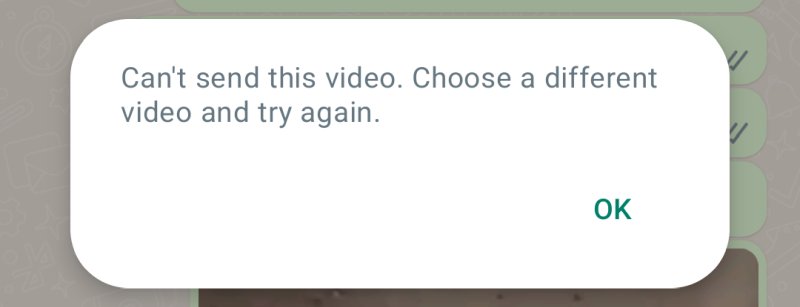
Problem? WhatsApp cannot send videos in SD format
Yup. Only HD. If you want to send videos that will be embedded in the chat and instantly playable by the other party, in their WhatsApp chat, i.e., not sent as a downloadable blob (which always works), then you must send those videos in HD format. Why? Beats me.
Anyway, this is an easy solution (almost). Indeed, when you try to send a video, in its rudimentary video editor interface, WhatsApp lets you actually change the "density" (from SD to HD), or even convert the video to a GIF. However, however, however! This may not always work. It may simply refuse to convert the video, and you will be stuck. Similarly, the conversion to GIF may not yield a "HD" GIF, and you'll be back to square one. To wit:
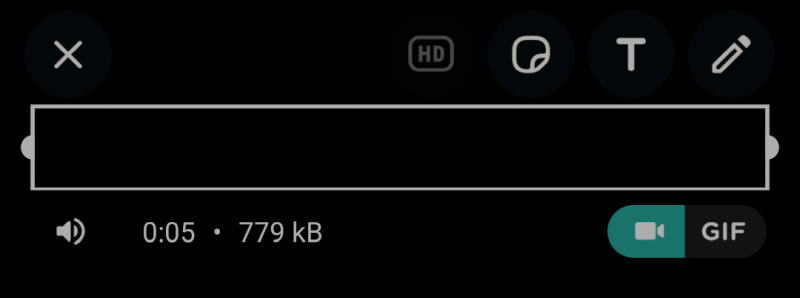
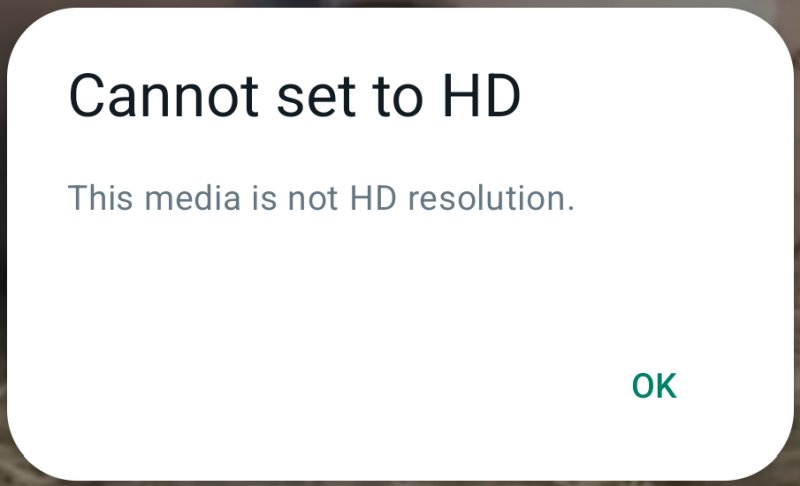
Solution? Convert to HD - easier said than done
Now, this is where this mini tutorial gets complicated. The proper solution is to actually convert your SD video to HD, and then re-send it. On the desktop, the encoding process is trivial - just use ffmpeg and job done. On Android, things aren't so trivial.
I also like to use VLC. This amazing program can do wonders, including conversion of audio and video formats. Unfortunately, that functionality is not available in the mobile version of the program, or shall we say, the app. If you look in the Play Store, you won't find an official build of ffmpeg by the upstream development team. There are all sorts of ffmpeg-based tools out there, but many of these are built by third parties, and quite a few of them contain in-app ads. I decided that I didn't want to go down that route.
Another option - go to one of the myriad websites that can convert videos for you. If you're going to share a meme that's publicly available anyway, then there's no reason why not to. Then again, if the meme is available on a meme site somewhere, just share the link. If you insist on having the video show up in the message feed with the nice thumbnail and a play button, then you could use one of these sites. I can't say which one I'd recommend, though.
A third option that I've found to work well - if you use Telegram, a messaging app very much like WhatsApp, then you may discover that Telegram will automatically upscale and convert videos for you (after you send to a friend). In turn, you can then "download" your own video, and it will then be good enough for WhatsApp, to be shared as an embedded HD video.
The paradox of this solution is that if you're using Telegram, you might as well use it, period. There's no reason to use it as an intermediary for WhatsApp. And conversely, if people use WhatsApp, then there's probably a reason for that, too, and they wouldn't necessarily want or need Telegram. Some people use both apps, some don't, therefore this solution is really only useful if you have friends using both apps, and share your memes with both groups, in which case, this can be a convenient process. Otherwise, it requires you to double your application footprint, and it also means you need to have someone on Telegram to send the videos to, in order to have them converted. Thus, we ought to consider this option only useful for serious memeistas with large networks of friends.
Conclusion
What did I try to tell you here? Three things. One, if you encounter the error, it's not you, it's WhatsApp. You most likely have an SD video, and WhatsApp doesn't like. Two, if that happens, I would actually suggest not to go about downloading random programs that may convert the files for you; instead, if it's not private info, use a conversion website - can't help you which to choose, though, I'm afraid. Three, Telegram is a good tool, if you use it, and will do the job, regardless of how you manage your software and friends.
All that said, in a follow-up article, I will show you how to convert videos to HD GIFs. This will be done on the desktop, so it won't be an instant one-step phone thing, but it will allow you to improve your meme skills, and share high-quality nonsense with your friends. We will get there soon. Stay cool.
Cheers.